I”ve mentioned DMR hotspots before, but only with the software Pi-Star, which is the current standard in that matter.
Today, I”m having a look at the WPSD project, which has a much more modern take on hotspot software.
Just like Pi-Star, it can be used as a gateway to a bunch of protocols, including DMR itself, which is what I”ll focus on today.
For the purpose of this post, I”ll be using fairly standard MMDVM hotspot hardware, running on top of a Raspberry Pi Zero 2W.
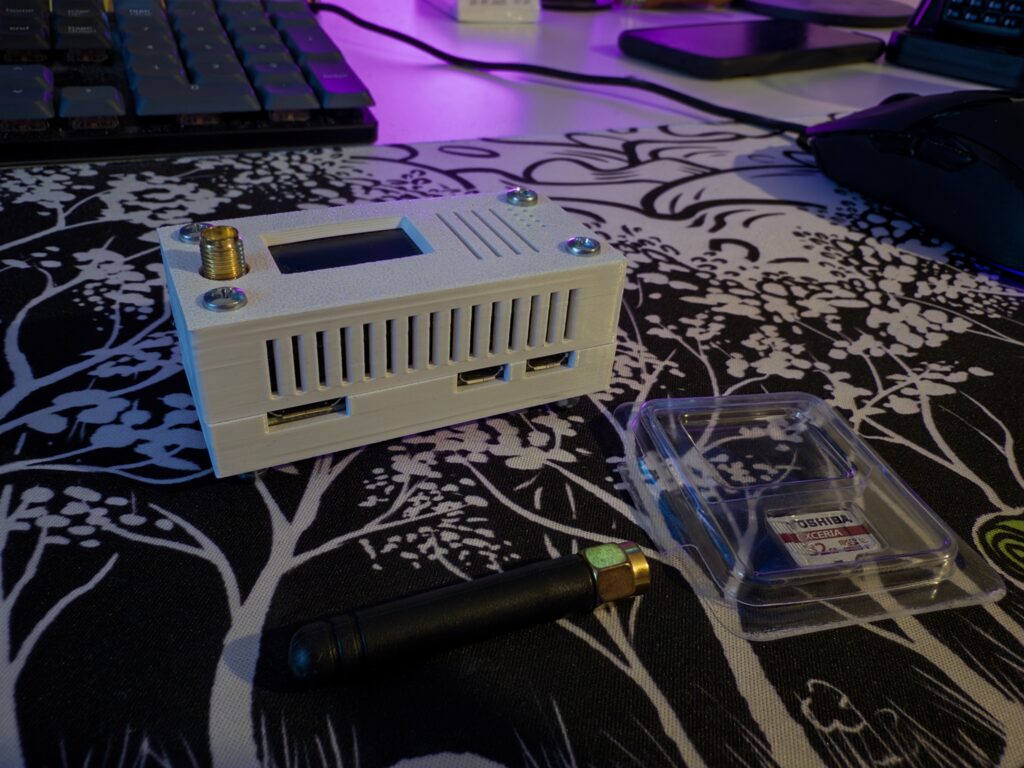
The first step is easy if you”ve ever touched a Raspberry Pi, imaging the micro-SD card. Just download the archive file from the official website and some utility to flash the image.
~ sudo dd if=WPSD_RPi-Trixie.img of=/dev/sde status=progressThis time, I”ve decided not to set up the Wi-Fi connection via the generated configuration file, but to instead test the autoconfiguration feature. From the documentation, leaving the WPSD hotspot on for a few minutes without a configuration will cause it to open a network to configure it.
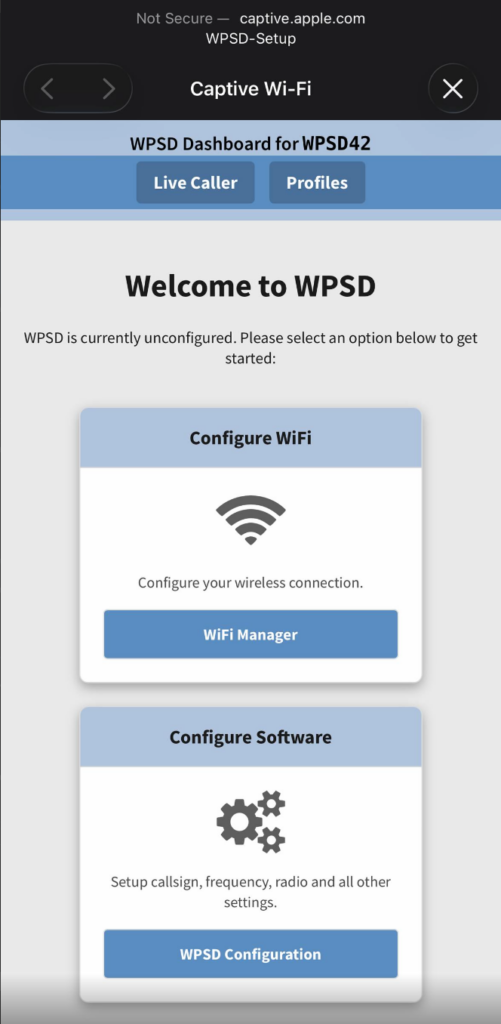
And sure enough, here it is! Time to dive deeper in the configuration.
This is fairly easy and amounts to setting the right DMR ID, callsign and frequency. Check the BrandMeister wiki if you”re not sure about the frequency, some countries have recommendations to not interfere with repeaters. Also set the colour code to something else than 1 to avoid interfering with relays and others.
I set the modem and screen as follows:
- Modem: MMDVM F4M-GPIO (GPIO)
- Display type: OLED TYPE 3 (0.96″ screen)
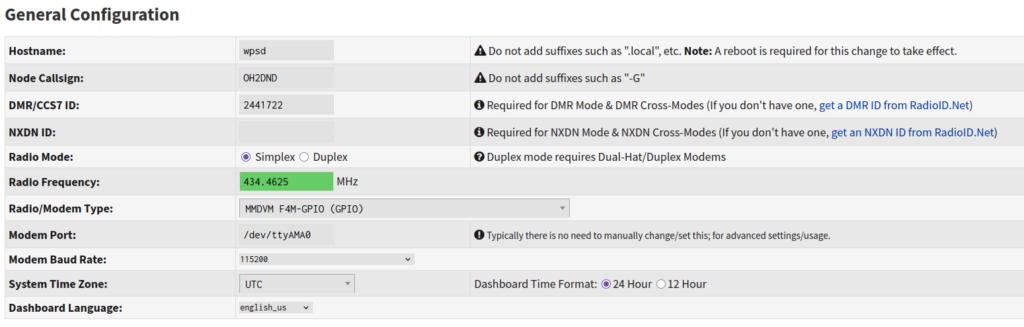
Don”t forget to validate and onto the BrandMeister configuration. WPSD might trigger a reboot after validating to update itself, so be patient, first launches are always a bit long.
If you”re brought back to the main screen, just hit “Configuration” in the top right to return to the configuration page.
Scroll down until you see the “DMR Configuration” category and set the following:
- BrandMeister master (choose your country).
- BM Hotspot Security (the password you set in self-care).
- ESSID (any number you want, for instance I chose 2 because it”s my second hotspot).
- Toggle “BrandMeister Network Enable” on.
After this is done, hit once again “Apply changes” at the top of the screen, and you should be all setup to talk on BrandMeister.
If you did everything correctly, you should now see everything lighting up green on the main dashboard:
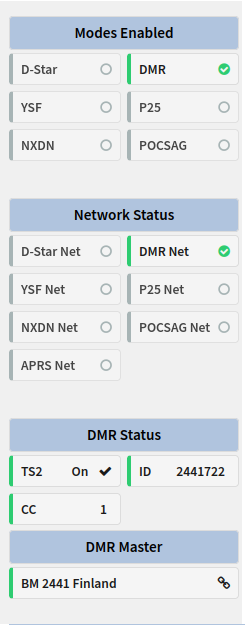
Now, just one last step before transmitting, let”s launch an update to make sure everything is in order by going to “Update” at the top of the screen.
Just wait a few more minutes and WPSD should reboot automatically.
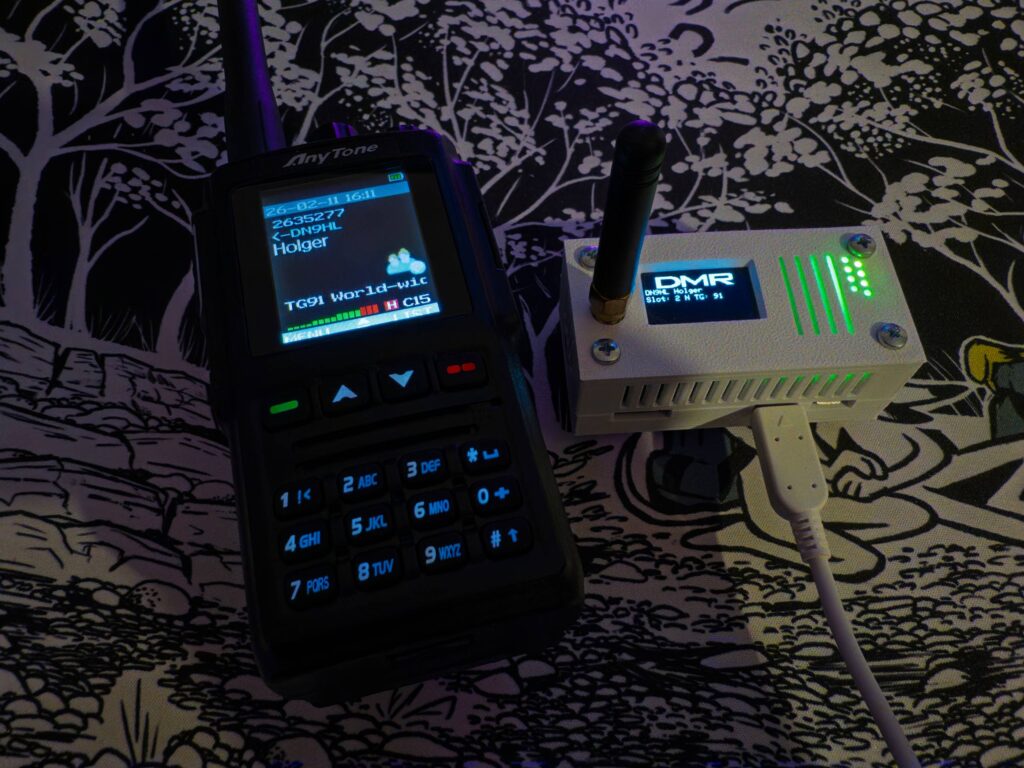
Once this is done, congrats, you can now configure your radio (if not already done) and start transmitting!
There are a bunch of configuration options that I didn”t mention in the main body to keep things quick and simple.
Default Wi-Fi network
By default, WPSD will open a Wi-Fi network called “WPSD” which will allow you to access the administration interface. By default, this network has no password, so to set one, head to the configuration page, scroll down to “AccessPoint Mode” and there, you can either completely disable the AP or change the password.
Remote access password
Likewise, the default password of pi-star is not very secure. On That same page, under “Remote Access Password”, you can set a custom one.
BrandMeister API integration
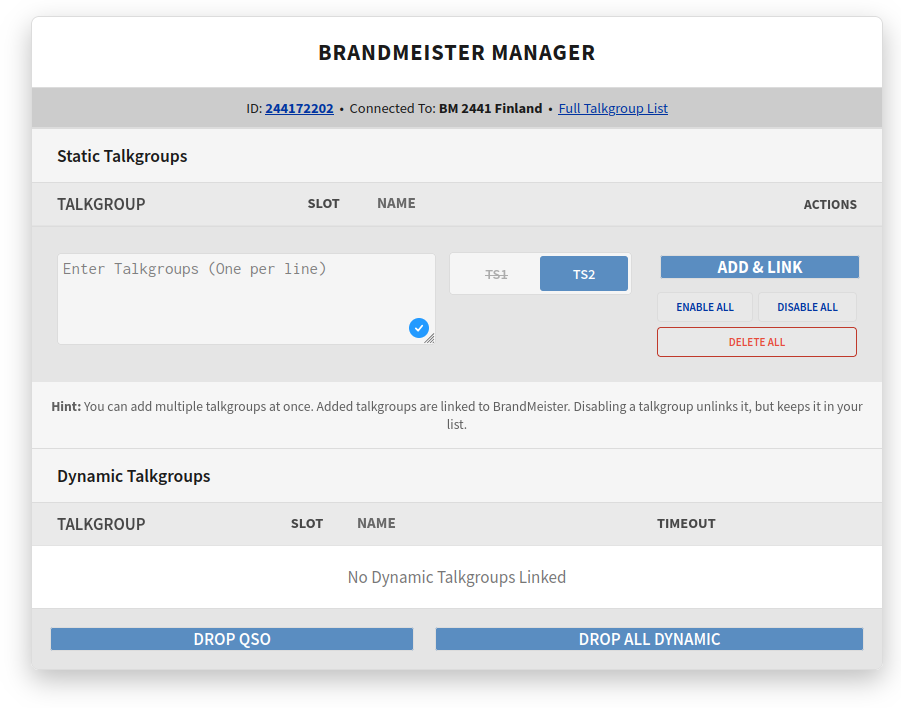
Being based on Pi-Star, WPSD also benefits from the BrandMeister API integration. Just go to the admin dashboard, hit “BrandMeister Manager”, and follow the links in the error to get and set your BrandMeister API key.
Once set, if you go back to the admin dashboard and hit “BrandMeister Manager” again, you should see a nice interface to manage talkgroups.
Dark theme and NATO callsigns
WPSD also ships with a dark theme, which you can enable by going to “Appearance” at the top of the screen.
On the same page, you can also make it so callsigns are displayed with their NATO alphabet equivalent, which can be useful if, like me, you have memory issues.
To add some sort of small conclusion to this post, turns out WPSD is even nicer to use than I expected.
The interface is definitely day and night from base Pi-Star and has some nice stuff like the “Live Caller” feature or the ability to hide calls below a certain transmission time.
In any case, thanks to W0CHP for making WPSD, and of course, to MW0MWZ for making Pi-Star.
In less happy news, I want to put out my condolences to the friends and family of Elwood Downey (WB0OEW), creator and maintainer of Hamclock, which went SK about two weeks ago.
WB0OEW DE OH2DND THX 73