Logbook Of The World (or LoTW) for short, is a website providing logging for amateur radio contacts; maintained by the American Radio Relay League (ARRL).
Until now, I was solely using the QRZ logbook to log my contacts, but seeing how many people also request confirmations using LoTW, I decided to go ahead and create an account.
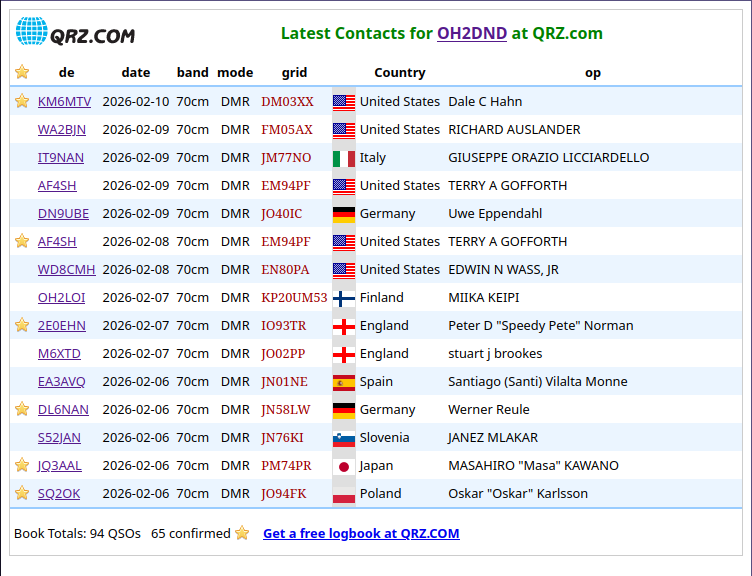
The LoTW logbook works a bit different: instead of just logging into the web interface and starting to log, you”ll be issued a certificate which will be used to sign your contacts, which then will be sent to the website.
Since there are multiple steps, I will divide this post in multiple sections. This will also focus on the process while being outside the US, so things will look different if you”re currently licensed under the FCC.
Documents and software
To not lose time searching for stuff, start gathering a few things:
- Your radio licence.
- Either a scan of the paper, or a PDF file (Traficom gave me the latter).
- An utility bill under the same name as the radio licence.
- Remember to obfuscate sensitive details with boxes. Never blur anything, completely hide it instead.
I can also recommend installing QLog, as it”s an excellent logging software for Linux, and bundles another software we”ll need down the line.
Initial software setup
You fill first need a piece of software called TQSL. It will allow you to create the initial certificate request, and sign contacts later down the line (if you want to do it manually).
If you have QLog installed, you can skip the build instructions and just open “TQSL (QLog)” on your machine.
If you run on Windows or macOS, good news, the software is natively supported. Just go to the download page, scroll down, and select the right OS.
If you are on Linux, you”ll need to build the application yourself, but fear not, it”s easy. Head to that same download page, and download the source archive.
Before starting the build, you might need to install some dependencies, such as curl-devel and wxGTK-devel.
Once it”s uncompressed, go to the root directory of the source and:
~ mkdir build
~ cd build
~ cmake ..
~ make build -j~ sudo make install
~ sudo cp libtqsllib.so /usr/lib64This was tested on Fedora 43 and worked fairly well. After that, you should be able to find TQSL in your application list, or by running tqsl via the command line.
If you”re missing dependencies, it”s usually fairly easy to find and install them.
Creating the certificate request
Now, you will need to actually request the certificate. For that, open TQSL. On first launch, it should prompt you if you want to create a request, and say “Yes” to this.
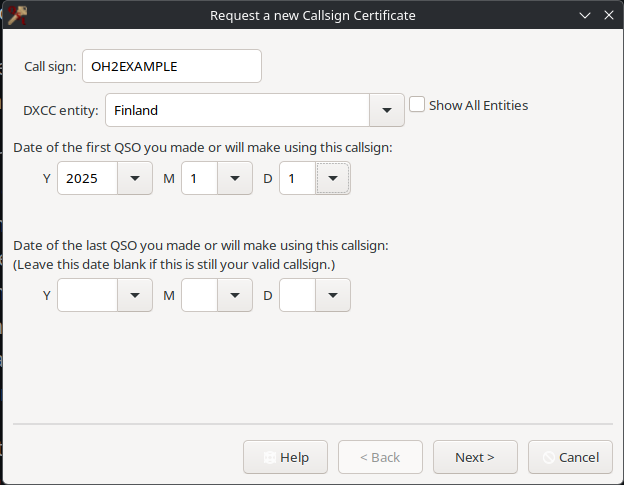
There, enter your callsign, verify that the DXCC entity corresponds to your country, and enter the date of the first QSO you made (if you haven”t made one yet, just put today”s date). Once you”re done, hit next and fill the new form with your address. Of course, hit next once you”re done.
One of the last steps is to enter your e-mail address. Make sure it is valid and the correct one, you”ll need to send an e-mail later from this specific one.
At this point, just follow the on-screen instructions and submit the request. If it worked correctly, you should receive an e-mail shortly after that goes like this:
Started processing your New Certificate Request.
For call sign: OH2EXAMPLE
For DXCC Entity: FINLAND (224)
For QSOs not before: 2025-01-01 00:00:00
For QSOs not after: <blank>
Your certificate request is accepted and awaiting further processing.
You must mail in (via postal mail or email) supporting documentation to complete the request.
Details about what to send and where to send it can be found at: https://lotw.arrl.org/lotw-help/authentication/#hqaddrAt this point, you”re all set on the certificate request side, and ready to proceed to the next step.
Requesting an account
Remember those documents I asked you to gather and redact? They”re going to come handy now. You will need to send an e-mail to lotw-help@arrl.org, making sure you include your callsign and the documents (radio licence + utility bill) as well as a nice message requesting an account (this process is done by volunteers, so be nice :3). Remember to send the e-mail from the one you requested the certificate from.
That”s all for now. You”ll need to wait a few days for ARRL to confirm your account.
Account & certificate setup
Once ARRL has validated your documents, you”ll receive an email containing a few things:
- Your LoTW username (usually your callsign).
- Your LoTW password (in plaintext, boo).
- A
tq6certificate file.
First things first, log into LoTW and change that password in the user profile. Do this early to not forget; the use of a password manager is recommended.
Also save that tq6 certificate preciously somewhere private (additionally, make sure your machine is backed up somewhere safely, with Borg for instance).
Now back to TQSL. Go to the “Callsign certificates” tab, and you”ll see your certificate request there, which should show as “Invalid”.
On the right, just hit the large “Load a Callsign Certificate” button and import the tq6 certificate you”ve got via e-mail. After that, your callsign should appear under “Active, usable certificates”.
Now one last step, select your certificate and hit “Save the Callsign Certificate for <CALLSIGN>”. This will generate a p12 certificate file that you can use in other software and other integrations (more on that later).
The last step is to go to the “Station Locations” tab and add your current location. Just hit “Create a new Station Location” and follow the instructions.
Once all of this is done, congrats, you”re all set to use LoTW!
Signing & uploading a contact
If you use a logging software, there”s a good change you can export an ADIF file from it, containing your contacts.
If that”s what you have, return to the main “Log Operations” tab and hit the “Sign a log and upload it automatically to LoTW”, then select your ADIF file. This will basically sign the log and send it.
Admittedly, I don”t use that method and prefer using the integrations available in my logging software.
Bonus: QLog
I use QLog on both my workstation and laptop to manage my contacts. Cherry on top, it has an integration to LoTW out of the box, located in the settings, then “Sync & QSL”. Once there, you should see a LoTW tab.
There fill your LoTW username and password. On Linux, I didn”t have to set up anything TQSL related, as I see a small “Using an internal TQSL instance” message.
Once validated, you can head to the “Service” tab on top, hit “Upload”, select LoTW and confirm.
That”s all, it”s that easy.
Bonus: QRZ sync
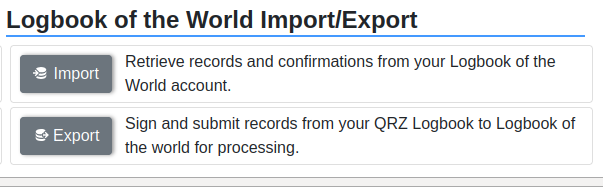
QRZ also has a LoTW integration, though a bit sketchier in my opinion. It will also require at least the XML Logbook Data Subscription, and you will need to upload your certificate to QRZ, in case you want to send contacts to LoTW.
I can recommend exporting a second p12 certificate with a different password if you intend to do this. In any case, you can skip that and upload your logs via either TQSL or a logging software that has an integration.
To set up the feature, open your QRZ logbook, head to “Settings” in the top-right corner, and you should see a “Logbook of the World Integration” section. Hit “LoTW settings”. You”ll have to set your username (usually callsign), and upload your certificate. If you return to the settings, you should see a nice message under the LoTW section.
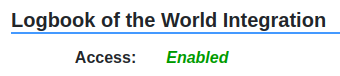
Now, the main feature of that integration is to validate contacts in your QRZ logbook, from LoTW. Doing that is pretty trivial, just hit the buttons in the QRZ logbook settings.
Downloading logs from LoTW will require your LoTW account password, while uploading logs to LoTW will require the certificate password, remember that.
You can know a contact is confirmed on LoTW when it has a small green circle on the QRZ end. For instance:

In any case, you should be all setup with QRZ and LoTW now.
As you can see, setting LoTW is quite the process. I decided to go through it as it has tons of users that will confirm on LoTW first, or sometimes only. In any case, more logging options is still a nice-to-have, though my main log remains the QRZ one.
I”d be interested in seeing a cryptographer take a proper look at the whole signing process for LoTW, and how safe it really is. Sadly, I lack the knowledge for that and can”t make a judgement.
As a reminder, if you wish to do a contact with me, I usually hang out around talkgroups 91, 92 and 244 on the Brandmeister DMR network.
A few days ago, I also finally managed to get the “12 days of QRZ” award (basically, get at least one confirmed contact a day, 12 times between December and end of February). The last contact was pretty difficult to get confirmed, as plenty of people don”t necessarily log their DMR activities.
It”s always fun to thinker with all of that; hopefully I can inspire others to get their licence and start transmitting :D