After a few months in development, the long-awaited Unity Engine SDK for Resonite, built on top of ResoniteLink, is finally available for early usage.
The SDK allows you to port previously Unity-only content to Resonite, directly from the Unity Editor itself. For instance, if you originally made a world for VRChat or any other platform for that matter, you can now import it super easily into Resonite.
There are multiple modes, the coolest one being “realtime”, which allows the scene changes to be seen in Resonite… in real time.
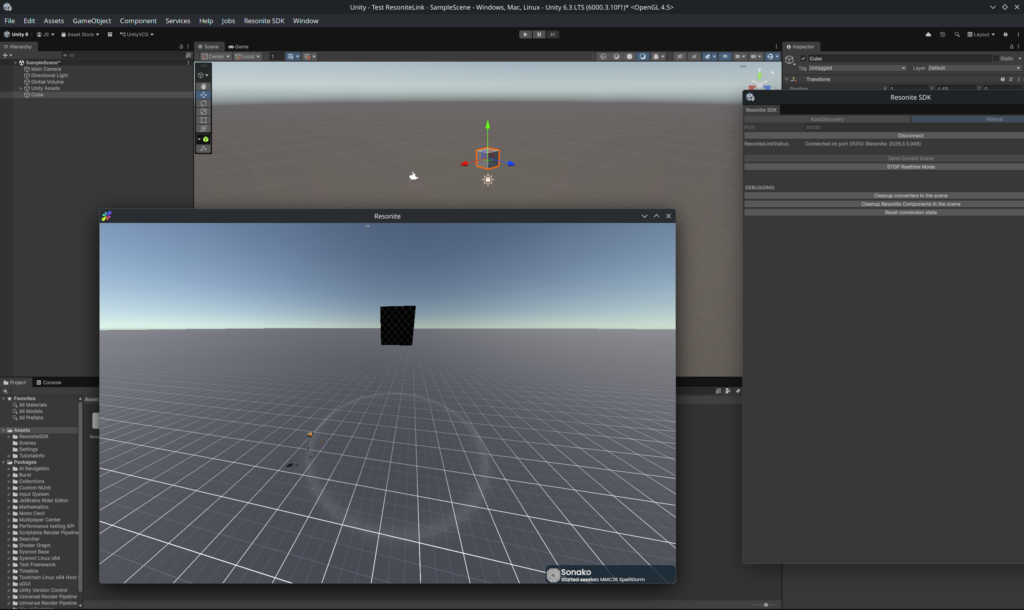
The SDK itself was made to work with Unity versions from 2022.3 LTS to the latest 6.3 LTS. Just download the .unitypackage from the latest release and import it using Assets -> Import Package -> Custom Package.
After that, head to Resonite, then in the dashboard “Session” tab and hit “Enable ResoniteLink”. After that, return to the Unity Editor and open the Resonite SDK with the taskbar option on top. Your session should be auto-discovered, and now all you have to do is to connect and start creating. Yup, that easy.
As a general warning, the Unity SDK is still in beta, bug reports and contributions are very much appreciated. Did I also mention that the whole thing is MIT-licensed and open source? You can see more about the specifics on the GitHub repository.
In any case, I can’t wait for all the stuff that’s going to be made using that new tool.



Leave a Reply